AI-Powered Generation
Describe your app in any language. Get an icon built from your input — not a template — across meditation, finance, games, developer tools, and more.
Describe your app in any language — get a polished icon in seconds. Export every size for iOS, Android, and Web, with an Xcode-ready AppIcon.appiconset and Android mipmap folders included.
Free · 2 signup credits for one icon · Every export is yours to ship.


project-ready
Enter one clear description, then optionally choose a style, theme color, and 1–4 concepts. New accounts receive 2 credits — enough to generate one icon and continue in Workbench.
Generate original icon directions, choose the strongest concept, and export the files your development stack expects.
Describe your app in any language. Get an icon built from your input — not a template — across meditation, finance, games, developer tools, and more.
One ZIP includes a 1024px master, the iOS asset catalog, Android density folders, and Web / PWA icons. No manual resizing.
Drag AppIcon.appiconset into Xcode or copy mipmap-* into app/src/main/res/. Full adaptive resources are added after you create a separated foreground layer.
Use the same prompt and style to generate up to four different takes. Each generated icon costs 2 credits, so you control the size of every run.
Continue in Workbench to refine the icon, or export when the result is ready.
Three-step workflow
Start with one required input. Style and color stay optional, and the production files are prepared after you choose a direction.
A focused habit tracker with circular progress rings and a calm sunrise
Describe your app in any language. Let AI choose the style and theme color, or choose them yourself.
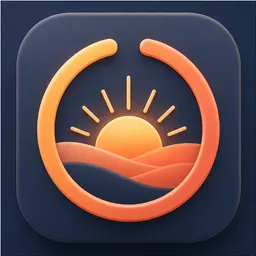
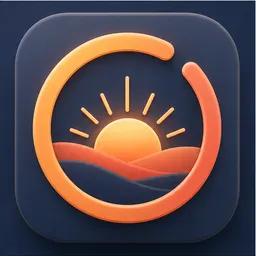
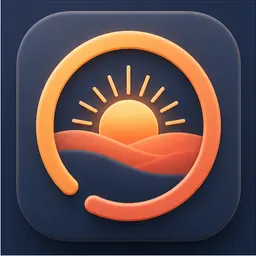
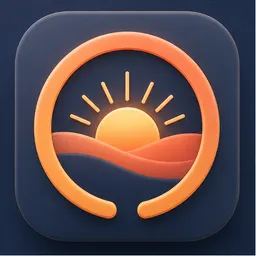
Choose how many icons to create. The AI uses the same prompt and style to generate a cohesive batch of closely related visual directions.
Export sizes
Download a project-ready ZIP with icon assets for iOS, Android, and Web.
Prompt-to-icon examples
Six app categories, six visual directions, and the prompt behind each result. Use them as a starting point for your own icon.
3D Clay
“A meditation and habit app with a warm sunrise, soft clay shapes, and a growing plant”
Flat
“A task manager for remote teams with clear geometric navigation and a bold blue compass”
Flat
“A finance wallet with a gold coin, an upward growth arrow, and a clean high-contrast silhouette”
Pixel Art
“A pixel art dungeon crawler with a glowing crystal chest, dark stone, and a readable game icon silhouette”

Minimal
“A premium analytics dashboard app with one architectural arch, balanced negative space, and a gold data point”

Glassmorphism
“A fitness tracker with translucent activity rings, a bright central crystal, and energetic blue highlights”
Developer workflows
Each workflow names the files, folders, and config paths you will use after generation.
Get a complete AppIcon.appiconset with Contents.json and 20 catalog entries for iPhone, iPad, and App Store delivery.
Export mipmap-mdpi through mipmap-xxxhdpi. Create a separated foreground first to add adaptive layers and XML.
Start with one free icon using your 2 signup credits. Generate only what you need, then export platform-ready assets for iOS, Android, and Web.
Export an icon for flutter_launcher_icons or an Expo package with app.json-ready paths and optional adaptive assets.
Prepare favicon, apple-touch-icon, maskable 192px and 512px icons, and a ready-to-edit manifest.json.
Verified export specs
These sizes and file structures match the current AppIconKitchen export configuration, so you can plan the handoff before generating.
Every multi-platform export includes a 1024 × 1024 master PNG.
Android adaptive export is gated by product truth: first remove the original background to create a separated foreground layer, then apply a dedicated adaptive background.
| Platform | Sizes | What you get |
|---|---|---|
| iOS | App icons: 20, 29, 40, 58, 60, 76, 80, 87, 120, 152, 167, 180px · App Store: 1024×1024px | AppIcon.appiconset with 20 PNG files and Contents.json |
| Android | Launcher: 48, 72, 96, 144, 192px · Play Store: 512×512px | Five mipmap launcher PNGs plus a separate Play Store icon |
| Android Adaptive | Layers: 108, 162, 216, 324, 432px | Foreground and background layers plus mipmap-anydpi-v26 XML when a separated foreground exists |
| Web / PWA | Favicon: 16, 32, 48px · Apple Touch: 180px · PWA: 192, 512px | favicon.ico, PNG favicons, Apple Touch and maskable icons, manifest.json, and HTML reference code |
| Master | 1024×1024px | Original high-quality PNG for future platform needs |
Practical answers about generation, editing, and moving the export into your project.
Still have questions? Contact us
Use your 2 signup credits to generate the first icon and export a project-ready ZIP for iOS, Android, and Web.
